
Aubade Audio Studio DEMO1.9 - Get APK
You'll be able to download in few seconds.
Publisher Description
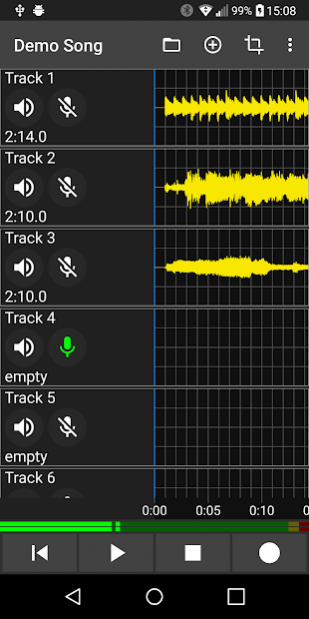
Your multi-track recording studio and virtual instruments sequencer to go - record your musical ideas wherever you are.
Features
Multi-track Recording
• 8 track overdubbing
• Recording level meter
• Automatic adjustment of play/rec latency time
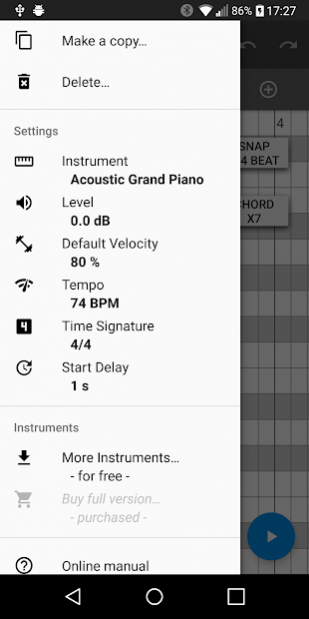
Virtual Instruments Sequencer
• For example, generate a piano accompaniment or a bassline on a track
• More than 50 virtual instruments
• Piano roll editor
Drum Sequencer
• Naturally sounding drums
• 8 independent drum patterns
• 10 drum instruments
• Arrange the patterns in arbitrary order
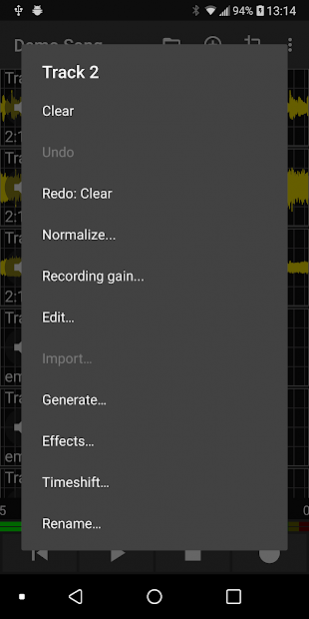
Editing Functions
• Cut
• Copy
• Copy+Silence
• Insert
• Overwrite
• Append
Effects
• Auto-Tune
• Reverb
• Chorus
• Distortion
• Flanger
• Tremolo
• Walkie Talkie
• Delay (incl. Ping-Pong)
Importing and Exporting Audio Files
• WAV and MP3 format supported
• Import with automatic sampling rate conversion
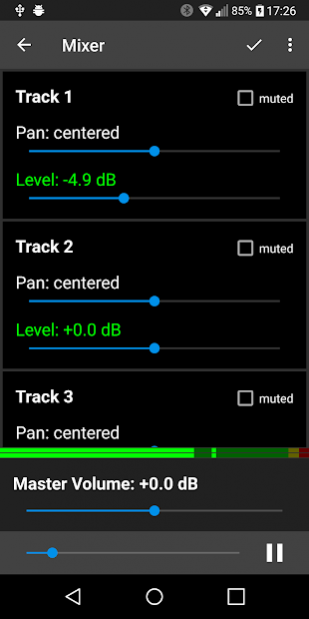
Mixer
• Real-time mixer
• Leveling of tracks
• Pan control
Chromatic Tuner
• Integrated tuner functionality
Miscellaneous
• Undo/redo functionality
• Metronome
• Play part or all of your song in an endless loop in order to practice your improvisation
• Share option (SoundCloud, Dropbox, E-Mail, ...)
• Labeling of tracks
• App supports English and German language
About Aubade Audio Studio DEMO
The company that develops Aubade Audio Studio DEMO is P. Schmidt. The latest version released by its developer is 1.9.
To install Aubade Audio Studio DEMO on your Android device, just click the green Continue To App button above to start the installation process. The app is listed on our website since 2020-07-17 and was downloaded 0 times. We have already checked if the download link is safe, however for your own protection we recommend that you scan the downloaded app with your antivirus. Your antivirus may detect the Aubade Audio Studio DEMO as malware as malware if the download link to com.aubade.lite is broken.
How to install Aubade Audio Studio DEMO on your Android device:
- Click on the Continue To App button on our website. This will redirect you to Google Play.
- Once the Aubade Audio Studio DEMO is shown in the Google Play listing of your Android device, you can start its download and installation. Tap on the Install button located below the search bar and to the right of the app icon.
- A pop-up window with the permissions required by Aubade Audio Studio DEMO will be shown. Click on Accept to continue the process.
- Aubade Audio Studio DEMO will be downloaded onto your device, displaying a progress. Once the download completes, the installation will start and you'll get a notification after the installation is finished.
Program Details
System requirements
Download information
Pricing
Version History
version 1.9
posted on 2020-07-17
. The user interface has been expanded to include one additional language: Español. The user interface is now available in English, Español and Deutsch.
. The demo version is now ad-free again
. Product maintenance
version 1.8.10
posted on 2020-05-14
A bug in memory management has been fixed
version 1.8.9
posted on 2020-05-11
. Export and import of a project (e.g. for sharing via Google Drive)
. Product maintenance
version 1.8.8
posted on 2020-02-22
Added Auto-Tune effect
version 1.8.5
posted on 2019-06-10
Bug fixes and other improvements
version 1.7.3
posted on 2017-12-01
- Added the long missing peak normalization functionality
- Applying effects no longer resets the mixer level
- Bug-fixes and improvements
version 1.6.5
posted on 2016-07-05
This is a bug-fix version
version 1.4.9
posted on 2013-06-28
Several fixes and updates
Disclaimer
External Download
We do not host Aubade Audio Studio DEMO on our servers. We did not scan it for viruses, adware, spyware or other type of malware. This app is hosted by Galad and passed their terms and conditions to be listed there. We recommend caution when installing it.
The APK Download link for Aubade Audio Studio DEMO is provided to you by apps112.com without any warranties, representations or guarantees of any kind, so access it at your own risk.
If you have questions regarding this particular app contact the publisher directly. For questions about the functionalities of apps112.com contact us.
